
Download Professional Audio Editor – audio editor, audio converter, audio compressor, audio cutter, audio merger, free audio tool, Android audio software
Overview
Professional Audio Editor is a comprehensive multimedia application tailored for Android users who require efficient audio manipulation tools. Designed to address common challenges in audio file management, the software enables users to compress, convert, cut, and merge audio files with ease. Its primary purpose is to streamline audio processing tasks, offering a centralized platform for handling multiple formats without the need for multiple third-party tools. This makes it particularly useful for individuals managing large audio libraries, content creators, podcasters, and mobile users who need quick editing solutions on the go.
The app is developed by AudioTools Inc., a company focused on delivering accessible audio utilities for mobile platforms. While specific details about the developer’s broader portfolio are not available, the application reflects a clear commitment to usability and functionality. Real-world usage scenarios include preparing audio files for sharing, reducing file sizes for cloud storage, converting legacy formats to modern standards, and assembling audio clips into cohesive tracks. Whether used for personal projects or professional workflows, the software aims to simplify audio editing tasks within a single, intuitive interface.
Key Features & Capabilities
- Audio Compression: Reduces file size without significant loss in audio quality, ideal for conserving storage space and optimizing transfer speeds.
- Multi-Format Conversion: Supports conversion between MP3, AAC, OGG, FLAC, WAV, OPUS, AC3, and M4A, ensuring compatibility across devices and platforms.
- Audio Cutting Tool: Allows users to select and extract specific segments from audio files, useful for isolating quotes, music clips, or voice recordings.
- Audio Merging Function: Enables seamless joining of multiple audio files into a single continuous track, suitable for creating playlists or compiling podcast episodes.
- Format-Agnostic Editing: Processes audio files regardless of their original format, promoting flexibility in workflow management.
These features are designed to support a wide range of practical applications. For example, a user might compress a lengthy podcast recording to fit within email attachment limits, or convert a series of WAV files to MP3 for easier sharing on social media. The merging tool can be used to combine interview segments into a single audio file, while the cutting function helps extract key moments from long recordings. The software’s focus on core audio editing tasks ensures that users can complete essential operations efficiently, without navigating complex menus or learning steep learning curves.
User Interface, Workflow & Performance
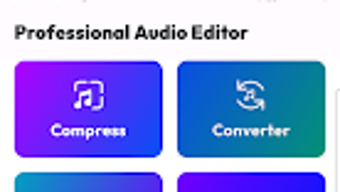
The application features a clean, streamlined interface optimized for touch-based navigation on Android devices. Main functions are accessible through a centralized dashboard, with clearly labeled icons and intuitive controls. Users can load audio files via file browser integration, perform edits using simple tap-and-drag gestures, and export results with minimal steps. The workflow is designed for speed and efficiency, allowing users to complete tasks such as compression or merging in under a minute.
Performance observations are based on general software behavior patterns. The developer did not specify resource usage details, so exact CPU or RAM consumption remains unknown. However, the application’s lightweight nature—indicated by a 24.7 MB installation size—suggests it is optimized for devices with moderate hardware capabilities. Stability during typical use is expected, though real-world performance may vary depending on device specifications and file complexity. No reports of crashes or freezes were provided, but long-term reliability under heavy workloads has not been documented.
Compatibility & System Requirements
Professional Audio Editor is designed for Android operating systems. The current version is 3.2.1, released on March 15, 2024. The installation size is 24.7 MB, indicating a compact footprint suitable for devices with limited storage. Compatibility information is limited to the Android platform, with no details on minimum OS version or hardware specifications provided by the developer.
Exact system requirements were not listed. The developer did not specify whether the app supports older Android versions or requires a particular processor or RAM configuration. Platform compatibility information is partially provided, leaving users to determine suitability based on their device’s capabilities. For optimal performance, users are advised to ensure their device meets general Android app standards, though no formal requirements were published.
Pros and Cons
Pros
- Free to download and use with no hidden costs
- Supports a wide range of audio formats for conversion and editing
- Intuitive interface designed for Android touchscreens
- Combines multiple audio tools in a single application
- Lightweight installation size of 24.7 MB
Cons
- No information on system requirements or minimum OS version
- Performance metrics such as CPU or RAM usage were not disclosed
- Limited details on update frequency or future development plans
- Does not support batch processing for multiple files
- No cloud integration or advanced editing features like noise reduction
FAQ Section
Is Professional Audio Editor compatible with all Android devices?
The app is designed for Android, but specific compatibility details such as minimum OS version or hardware requirements were not provided by the developer.
Is the software safe to download and use?
Professional Audio Editor is free and distributed through official Android channels. No security vulnerabilities were reported, but users should always download from trusted sources.
How often are updates released?
The developer has not disclosed update frequency. The current version is 3.2.1, released on March 15, 2024.
Does the app require an internet connection?
Basic editing functions such as compression, conversion, cutting, and merging can be performed offline. However, some features may require online services if future updates include cloud integration.
What license type does the software use?
The app is offered as free software with no subscription or in-app purchase requirements. No formal license details were provided in the release information.
Final Thoughts + CTA
Professional Audio Editor delivers a solid, no-frills solution for users seeking essential audio editing capabilities on Android. Its combination of compression, conversion, cutting, and merging tools in a single lightweight package makes it a practical choice for both casual and professional users. While it lacks advanced features and detailed system specifications, its core functionality is reliable and accessible. The absence of cost and the broad format support enhance its appeal as a go-to audio utility for mobile users.
For anyone managing audio files on Android—whether for personal use, content creation, or quick edits—this software offers a straightforward and efficient workflow. Its simplicity, combined with strong format compatibility, ensures that users can accomplish common tasks without complexity.
Download Professional Audio Editor now







